반응형
목차
1. BeautifulSoup 설치
pip install beautifulsoup4 # 터미널에서 설치
python -m pip install beautifulsoup4 # 가상환경의 파이썬에서 설치
python -m pip install requests
2. BeautifulSoup 기본 실습
from bs4 import BeautifulSoup
import requests

# html 코드 가져오기
response = requests.get('http://127.0.0.1:5500/crawling/01.%20html_basic/html_basic_table.html')
html = response.text
print(response.text)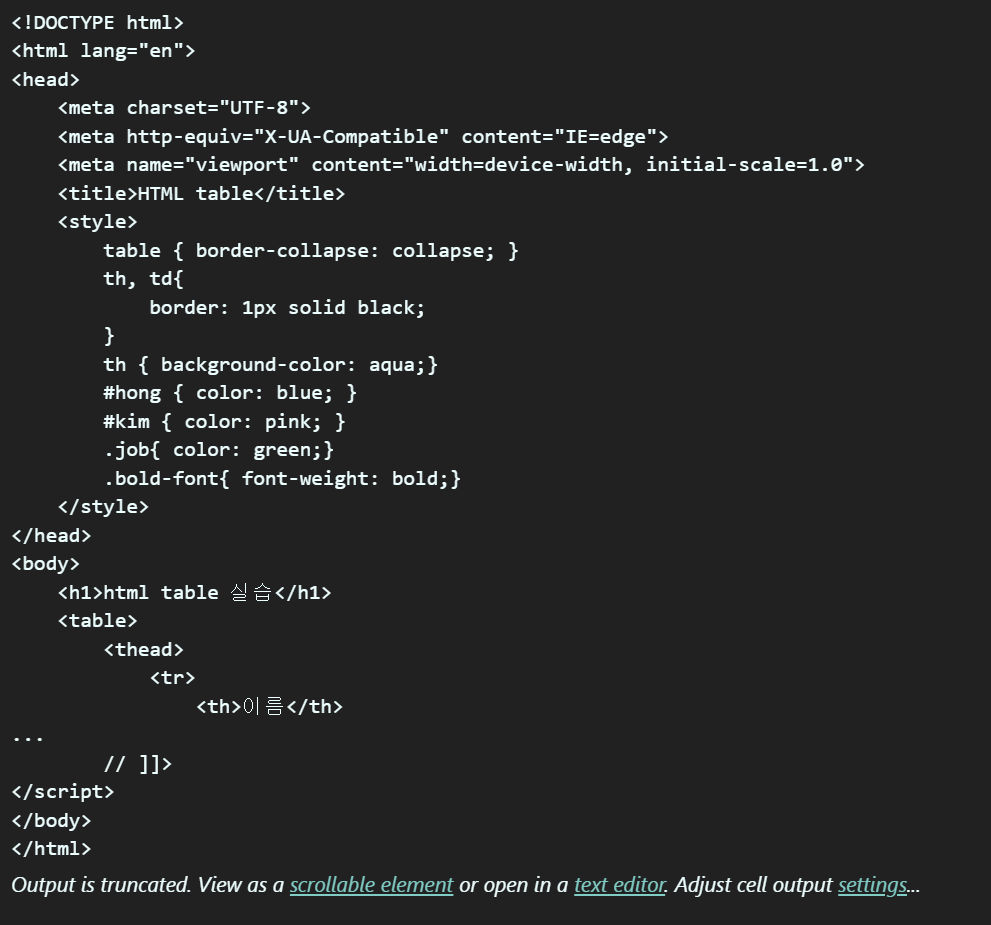
2-1. select
html = response.text
soup = BeautifulSoup(html, 'html.parser')
table = soup.select('table') # select: 리스트로 받아옴
table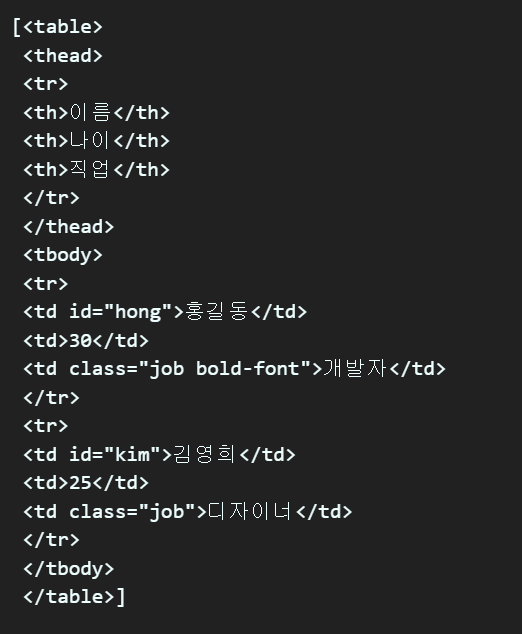
2-2. select_one
# select_one 사용
table = soup.select_one('table') # select_one: 가장 위에 있는 값을 가져옴
table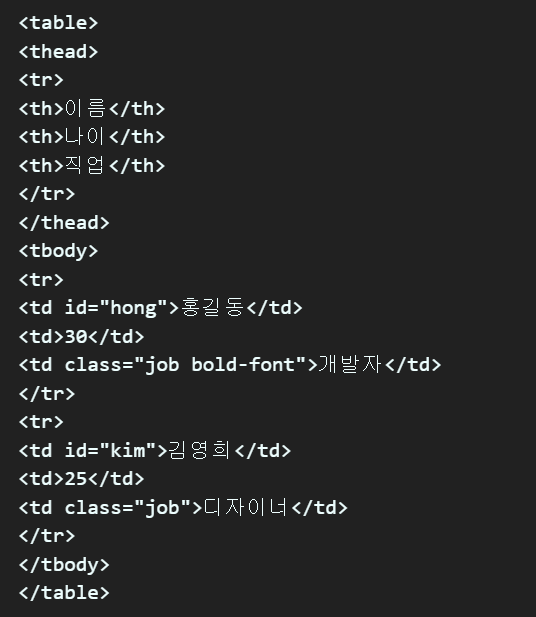
2-3. get_text
# 테이블의 첫번째 tr태그에 있는 첫번째 th 태그의 텍스트
tag = table.select_one('tr')
tag.select('th')[0].get_text()
>>> '이름'

[td.get_text() for td in table.select('tr')[1].select('td')]
>>> ['홍길동', '30', '개발자']

for row_tag in table.select('tr')[1:]:
    row_list = []
    td_tag_list = row_tag.select('td')

    for td_tag in td_tag_list:
        row_list.append(td_tag.get_text())

    print(row_list)
>>> ['홍길동', '30', '개발자']
	['김영희', '25', '디자이너']
3. BeautifulSoup Selector
# 예시) 네이버블로그 작가 정보 html 구성
<div class='writer_info'>
	<a class='author'> # div의 자식
		<div class='thumbnail_author'></div> # a의 자식이자 div의 자손
	</a>
</div>
3-1. 자식, 자손 태그 찾기
# 1: '>' 자식
soup.select_one('div.writer_info > a')

# <a bg-nclick="srs*l.blogger" class="author" href="https://blog.naver.com/kidart01" ng-href="https://blog.naver.com/kidart01" target="_blank">
# 	<div class="thumbnail_author">
# 		<img alt="블로거 썸네일" bg-image="https://blogpfthumb-phinf.pstatic.net/20220102_46/kidart01_1641134785440F2nIl_JPEG/image.jpg?type=s1" class="img_author" height="25" src="https://blogpfthumb-phinf.pstatic.net/20220102_46/kidart01_1641134785440F2nIl_JPEG/image.jpg?type=s1" width="25"/>
# 	</div>
# 	<em class="name_author">구름산책</em>
# </a>


# 2: 띄어쓰기: 자손
soup.select_one('div.writer_info div')
# soup.select_one('div.writer_info > a > div')랑 같다.
# 하지만, soup.select_one('div.writer_info > div')는 불가능하다.

# <div class="thumbnail_author">
#     <img alt="블로거 썸네일" bg-image="https://blogpfthumb-phinf.pstatic.net/20220102_46/kidart01_1641134785440F2nIl_JPEG/image.jpg?type=s1" class="img_author" height="25" src="https://blogpfthumb-phinf.pstatic.net/20220102_46/kidart01_1641134785440F2nIl_JPEG/image.jpg?type=s1" width="25"/>
# </div>
3-2. CSS class로 태그 찾기
# 클래스 명이 a인 태그 찾기
soup.select(.a)

# 클래스 명이 a 이면서 b 이면서 c인 태그 찾기(클래스 이름이 세개가 달려있는 태그)
# <h1 class='a b c'>를 찾는 것이다.
soup.select('h1.a.b.c')
3-3. CSS id로 태그 찾기
# id가 hong인 태그 찾기
# <h1 id='hong'>
soup.select('#hong')
soup.select('h1#hong')
3-4. 속성값을 이용해서 태그 찾기
# a 태그 중 속성 값 href를 갖은 태그 찾기
soup.select('a[href]')

# id가 hong인 태그의 자손 태그 중에서 a 태그 속성 값 href를 갖은 태그 찾기
soup.select('#id a[href]')
'Python > 웹크롤링' 카테고리의 다른 글
| (웹크롤링)파이썬, Python, BeautifulSoup, Selenium_네이버 블로그 크롤링 (0) | 2023.05.19 |
|---|---|
| (웹크롤링)파이썬, python, BeautifulSoup_ 3. 멜론 차트 크롤링 (0) | 2023.05.18 |
| (웹크롤링) 1. 웹크롤링 Intro (0) | 2023.05.17 |


댓글